



Permalink to InstallationInstallation
Permalink to Quick TakeQuick Take
Permalink to ExamplesExamples
- Check whether a CSV cell is numeric
- Handle an empty CSV string
- Classify CSV cells before sorting
- Sort transactions with multiline descriptions
- Sort a bank statement that has no header row
Purpose
- Sorts rows in correct order that follows the double-entry format.
- Preserves line breaks within quoted descriptions while sorting complete transactions.
- Trims the empty columns and rows (so-called 2D-Trim^).
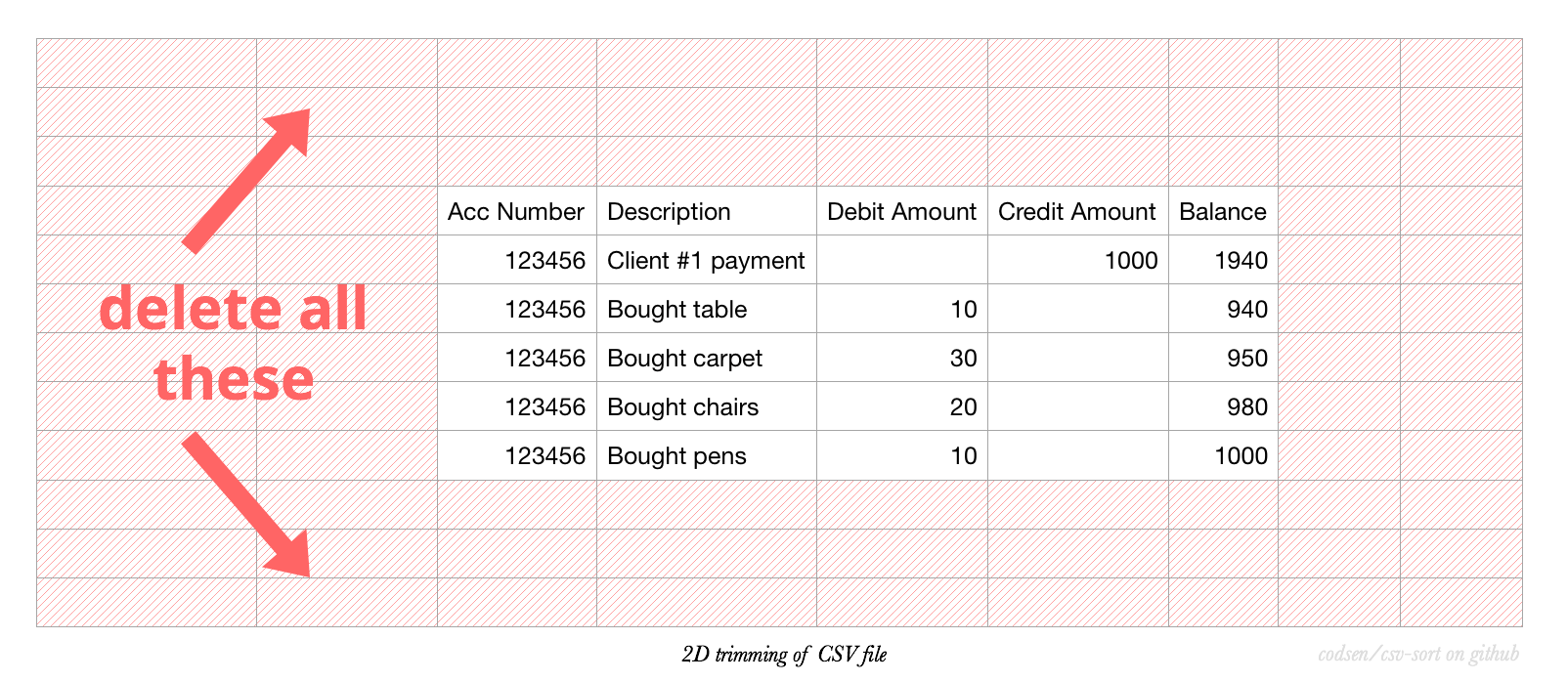
In later releases, we would like to be able to recognise and fix any offset columns caused by misinterpreted commas as values.
^ 1D-Trim would be trim of a string. 3D-Trim would be some sort of spatial data trim.
API — sort()
The main function sort() is imported like this:
It’s a function which takes one input argument:
It returns a plain object:
| output object | Type | Description |
|---|---|---|
resType: Array | ||
res | Array | Array of arrays, each containing a column’s value. |
msgContentType: String or null | ||
msgContent | String or null | A message about the result, or null when there is no message. |
msgTypeType: String or null | ||
msgType | String or null | alert, info, or null when there is no message. |
If the input is anything else than a string, it will throw.
If the input is an empty string, the output object’s res key will be equal to [['']].
Quoted descriptions can span multiple lines. For example, the CSV field "Bought\ncarpet" stays in one transaction, and its returned cell contains the line break. A successfully sorted statement retains all of its transactions and returns null for both message fields.
The result is an array of decoded cells. When writing it back to CSV, quote cells containing delimiters, quotes, or line breaks and double any quotes inside them.
API — findType()
The function findType() is imported like this:
sort() uses this internally to work out what each cell holds. It’s exported so you can classify cells the same way:
| Input argument | Type | Obligatory | Description |
|---|---|---|---|
somethingType: String Obligatory: yes | |||
something | String | yes | A single CSV cell. |
It returns one of three strings:
| Result | Meaning |
|---|---|
"numeric" | |
"numeric" | The cell is a number, or becomes one once a known currency symbol and any commas or dots are removed. |
"empty" | |
"empty" | The cell is empty or contains only whitespace. |
"text" | |
"text" | Everything else. |
import { findType } from "csv-sort";

console.log(findType("1.5"));
// => "numeric"
console.log(findType("$5"));
// => "numeric"
console.log(findType("  "));
// => "empty"
console.log(findType("abc"));
// => "text"
The currency-aware step is what separates findType() from a plain number check — a bank statement column full of £1,000.00 still counts as numeric.
API — isNumeric()
The function isNumeric() is imported like this:
The plain number check which findType() builds on:
It returns true for numbers and for strings which convert to a number once trimmed. It does not know about currency symbols or thousand separators — use findType() for those:
import { isNumeric } from "csv-sort";

console.log(isNumeric("-2.30"));
// => true
console.log(isNumeric("$5"));
// => false
console.log(isNumeric(""));
// => false
API — version
You can import version:
API — types
This package is written in TypeScript and exports the type Res, the shape sort() returns, shown above:
import type { Res } from "csv-sort";